 Demaratos
Photos, videos, documents and notes
Add them from any app by tapping Share, or create them inside Demaratos. Each file has its own key, and file names and folders are encrypted too.
Hide your private photos, videos, documents and notes in Demaratos. They stay encrypted on your phone, with no server, no account and no copy anywhere else.
stolen from Binance in a single evening
October 29, 2026
Binance is the largest crypto exchange in the world, with whole teams guarding its servers. On October 29 someone got in and took about 6.3 billion dollars, the biggest crypto theft so far. According to the company's first findings, the way in was one engineer's laptop.
A server can be encrypted as well as you like. One human mistake is enough for an attacker to find a gap, and behind that gap sits the data of millions of people, all in one place.
Demaratos has no server to break into. Your files are encrypted on your phone and nowhere else.
One store for millions of people. Get in once and you can take everything.
Every phone is locked on its own, with its own key. There is no single place to grab everything at once.
Everything you want to keep to yourself goes into Demaratos, gets encrypted, and leaves only when you decide.
Add them from any app by tapping Share, or create them inside Demaratos. Each file has its own key, and file names and folders are encrypted too.
Browse photos and videos in a gallery of their own, which never shows up in your phone's photo gallery. When you import one, Demaratos reminds you to delete the original, from the trash and the cloud too.
Put the phone face down on the table and Demaratos locks straight away. It also locks by itself after a short time.
If someone types the wrong passphrase, the front camera quietly takes an intruder photo. You see it the next time you open Demaratos.
A second passphrase opens a separate, decoy Demaratos holding only the files you choose. If someone makes you unlock it in front of them, open that one.
Payment cards, identity cards and passports in a space of their own, ready when you need them and closed to everyone else.
When a photo leaves Demaratos, the app strips the metadata that says where it was taken and which phone took it. The picture itself stays the same.
Erase everything in a moment. Without the key, whatever is left on the phone is unreadable noise.
Save an encrypted backup to a USB stick, your computer or any folder you like. Changing phones? Move everything to the new one over your own Wi-Fi, or restore the backup.
Researchers keep finding the same problem. In a 2022 study of 20 Android vault apps, the files could be recovered in 15 of them, only 5 even tried to encrypt, and 7 kept the PIN or the recovery email in plain text. Here is how Demaratos is built.
Demaratos asks for a passphrase of a few words instead of a short PIN. That one choice makes guessing hopeless.
6-digit PIN
1 million
combinations. A computer can try them all in a short time.
6-word passphrase
73.8 quintillion
combinations. At a million guesses a second, finding yours would take more than a million years on average.
Remember it. Nobody can recover your passphrase, not even us, because no copy of it exists anywhere. That is what keeps everyone else out. No app can protect a phone already infected with spyware, or a passphrase that is easy to guess.
Before Xerxes invaded Greece in 480 BC, Demaratos, an exiled king of Sparta living at the Persian court, found out what was coming. To warn Sparta without being caught, he scraped the wax off a writing tablet, wrote the message on the wood and covered it with wax again. The tablet looked blank and got past the guards.
In Sparta, Gorgo, the wife of Leonidas, worked out that the wax had to be scraped away. Herodotus tells the story in his Histories (7.239).
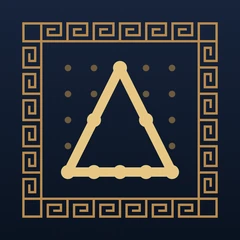
Demaratos works the same way: the name and the icon say nothing about what is inside. The Δ in the icon is drawn on the 5×5 grid you unlock the app with, which comes from the Polybius square, an ancient Greek cipher.
Yes, and more than that. It keeps photos, videos, documents, written and voice notes, payment cards and ID documents, all encrypted on your phone.
Only on your phone, encrypted. Demaratos has no server and no cloud. A backup is an encrypted file that you keep wherever you like: a computer, a USB stick or a cloud folder of your choice.
No. Nobody has a copy of your passphrase, us included, so nobody can open Demaratos for you. That is also why nobody else can get in.
With both phones on the same Wi-Fi, set up Demaratos on the new phone and choose “Receive from another phone”. On the old phone, tap “Send to another phone”. The files travel encrypted, only over your own network.
Or make a backup on the old phone. On the new one, choose “I already have a backup” and enter your passphrase. Step-by-step guide
Only from the same phone. Demaratos keeps no copy anywhere else, so if the phone is lost, broken or wiped and you have no backup, the files are gone. That is why Demaratos reminds you to make a backup when the last one is more than 30 days old.
No. Demaratos keeps its files in a folder that is left out of iCloud and of the phone's own backups. The only copies outside the phone are the encrypted backups you make yourself.
Whoever takes it finds only encrypted data. If they try to get in, the front camera can take their picture. If someone forces you to unlock it, the decoy shows only the files you chose.
Use your phone's own feature. On iPhone, touch and hold the Demaratos icon, tap Require Face ID, then Hide and Require Face ID, and confirm with Hide App: Demaratos moves to the Hidden folder at the bottom of the App Library.
On Android 15 and later, install Demaratos inside Private Space; on Samsung phones you can use Secure Folder. Do it before you add files, because an app that is already installed cannot be moved into Private Space.
No. Demaratos has no analytics, no ads and no third-party services, and it asks for no email or account. It goes online only to download a file from a link you give it.
Yes. Demaratos is coming to the App Store and to Google Play.
How the Hidden album works, who can still open it, and how to keep private photos encrypted instead.
Locked Folder, Secure Folder and private space: how they work and who can still open them.
Take your private photos with you without leaving copies behind.